
When building Oracle Database environments, we often need to deploy the same Oracle RDBMS software stack across multiple servers. This is common when preparing Data Guard environments, disaster recovery sites, RAC nodes, test systems, or standardized database platforms.
Installing Oracle Database software independently on every server and then applying the same Release Updates and one-off patches can be repetitive and may introduce inconsistencies between Oracle Homes.
Oracle Home cloning provides a way to take an already installed and validated Oracle Home and use it as the software baseline for another server.
For Oracle Database environments, two approaches are commonly encountered:
- Traditional Oracle Home cloning using clone.pl
- Oracle Home Gold Image using runInstaller -createGoldImage
Although both approaches aim to reproduce an Oracle software home, the workflow and intended usage are different.
In this blog post we will clone the Oracle RDBMS Home using the gold image.
Connect to the source database server and from the $ORACLE_HOME initiate the runInstaller using below command
[oracle@ggate1 staging]$ cd
[oracle@ggate1 ~]$ echo $ORACLE_HOME
/opt/oracle/product/26ai/dbhome_1
[oracle@ggate1 ~]$ ./runInstaller -createGoldImage -destinationLocation <location>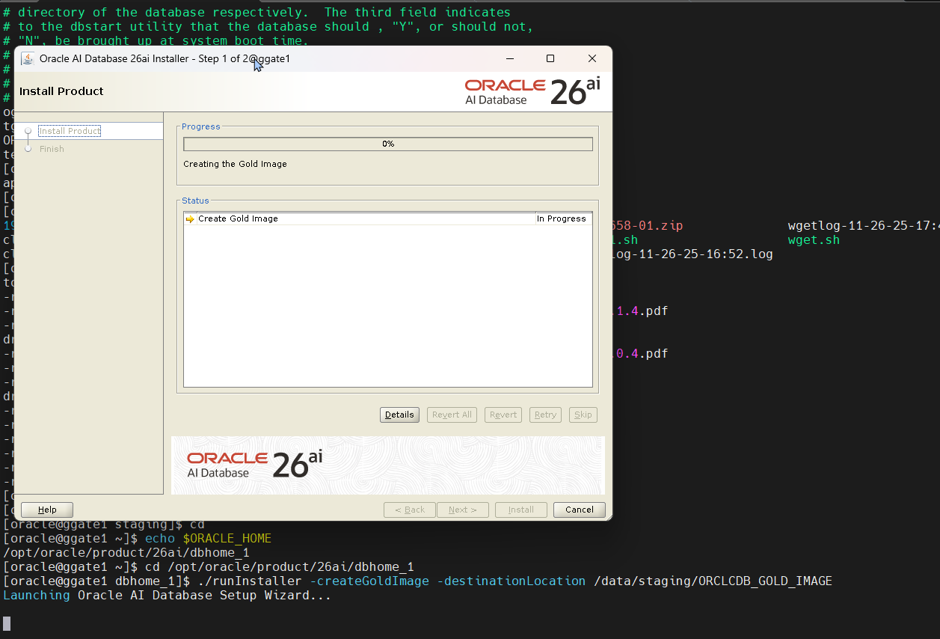
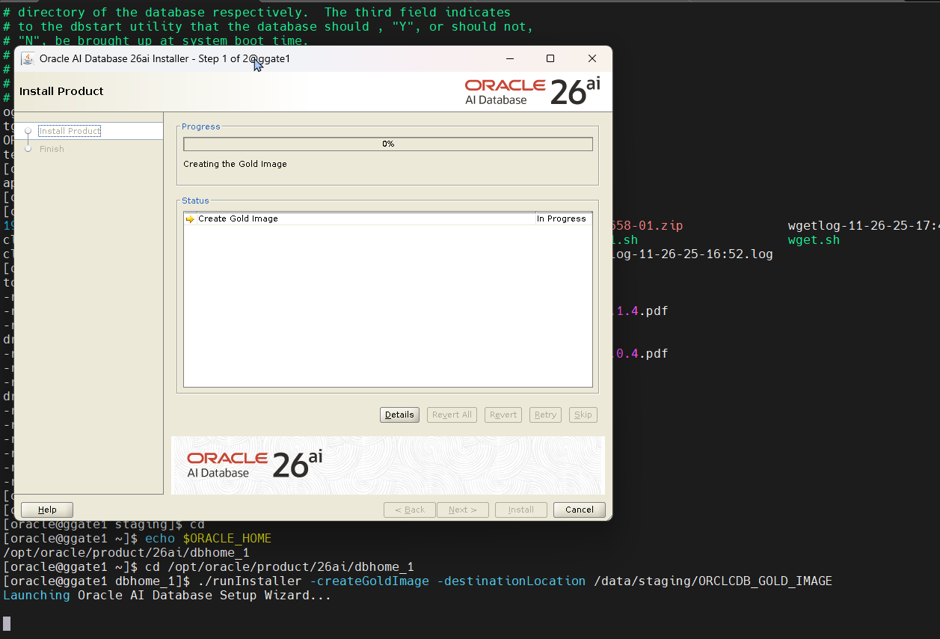
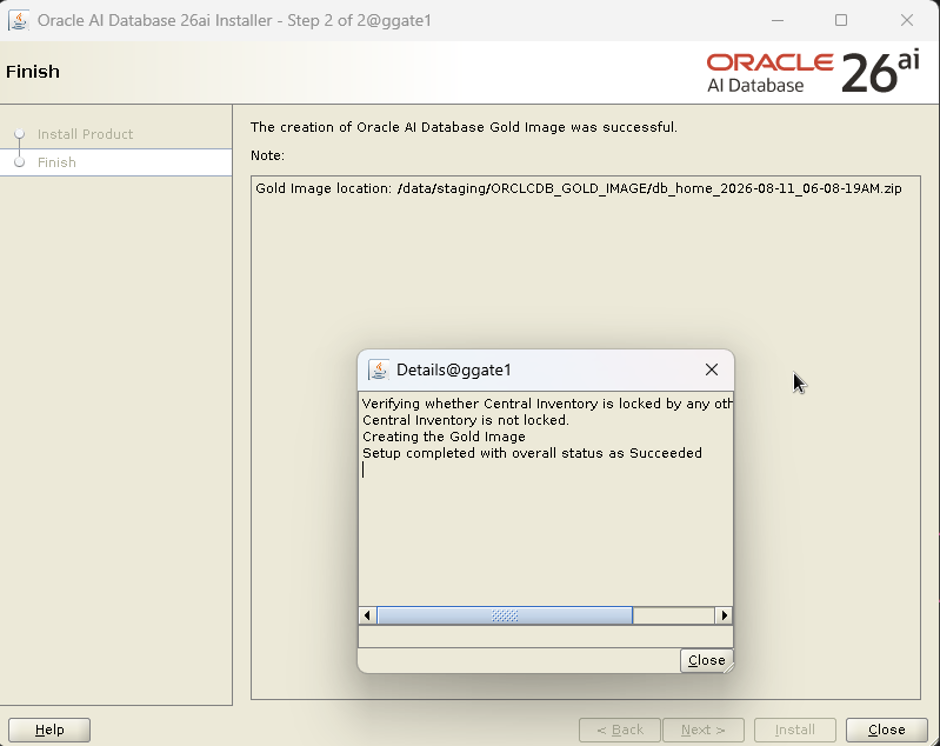
The gold image created under the provided directory successfully.
[oracle@ggate1 staging]$ pwd
/data/staging
[oracle@ggate1 staging]$ ls -ltr ORCLCDB_GOLD_IMAGE/
total 2416112
-rw-r--r--. 1 oracle oinstall 2474097123 Aug 11 06:18 db_home_2026-08-11_06-08-19AM.zip
[oracle@ggate1 staging]$ du -sch ORCLCDB_GOLD_IMAGE/
2.4G    ORCLCDB_GOLD_IMAGE/
2.4G    total
[oracle@ggate1 staging]$
Copy the gold image to the target server remotely
[oracle@ggate1 dbhome_1]$ scp -r /data/staging/ORCLCDB_GOLD_IMAGE 192.168.56.101://data/staging
oracle@192.168.56.101's password:
db_home_2026-08-11_06-08-19AM.zip                                                                                                 100% 2359MB  46.1MB/s   00:51
[oracle@ggate1 dbhome_1]$
Now create the ORACLE_HOME Directory and unzip the gold image we copied in the previous step
[oracle@ggate2 dbhome_1]$ mkdir -p /opt/oracle/product/26ai/dbhome_2
[oracle@ggate2 dbhome_1]$ cd /opt/oracle/product/26ai/dbhome_2
[oracle@ggate2 dbhome_2]$ unzip /data/staging/ORCLCDB_GOLD_IMAGE/db_home_2026-08-11_06-08-19AM.zip
Archive:  /data/staging/ORCLCDB_GOLD_IMAGE/db_home_2026-08-11_06-08-19AM.zip
   creating: OPatch/
  inflating: OPatch/README.txt
   creating: OPatch/auto/
   creating: OPatch/auto/core/
   creating: OPatch/auto/core/bin/
  inflating: OPatch/auto/core/bin/opatchauto.sh
  inflating: OPatch/auto/core/bin/opatchautoCopy.sh
  inflating: OPatch/auto/core/bin/opatchautoEnv.sh
  inflating: OPatch/auto/core/bin/oplan.sh
  inflating: OPatch/auto/core/bin/patchingWallet.sh
   creating: OPatch/auto/core/modules/
  inflating: OPatch/auto/core/modules/com.oracle.glcm.oplancore.core_12.2.1.48.0.jar
  inflating: OPatch/auto/core/modules/com.oracle.glcm.patch.opatchauto-actions_12.2.1.48.0.jar
  inflating: OPatch/auto/core/modules/com.oracle.glcm.patch.opatchauto-binary_12.2.1.48.0.jar
  inflating: OPatch/auto/core/modules/com.oracle.glcm.patch.opatchauto_12.2.1.48.0.jar
   creating: OPatch/auto/core/modules/features/
  inflating: OPatch/auto/core/modules/features/opatchauto-binary-classpath.jar
  inflating: OPatch/auto/core/modules/features/oracle.glcm.opatchauto.core.binary.classpath.jar
…
..
.
  python/lib/pkgconfig/python3-embed.pc -> python-3.13-embed.pc
  python/lib/pkgconfig/python3.pc -> python-3.13.pc
  rdbms/mesg/ociar.msb   -> oraar.msb
  rdbms/mesg/ocica.msb   -> oraca.msb
  rdbms/mesg/ocics.msb   -> oracs.msb
  rdbms/mesg/ocid.msb    -> orad.msb
  rdbms/mesg/ocidk.msb   -> oradk.msb
  rdbms/mesg/ocie.msb    -> orae.msb
  rdbms/mesg/ociel.msb   -> orael.msb
  rdbms/mesg/ocif.msb    -> oraf.msb
  rdbms/mesg/ocihu.msb   -> orahu.msb
  rdbms/mesg/ocii.msb    -> orai.msb
  rdbms/mesg/ociiw.msb   -> oraiw.msb
  rdbms/mesg/ocija.msb   -> oraja.msb
  rdbms/mesg/ociko.msb   -> orako.msb
  rdbms/mesg/ocin.msb    -> oran.msb
  rdbms/mesg/ocinl.msb   -> oranl.msb
  rdbms/mesg/ocipl.msb   -> orapl.msb
  rdbms/mesg/ocipt.msb   -> orapt.msb
  rdbms/mesg/ociptb.msb  -> oraptb.msb
  rdbms/mesg/ociro.msb   -> oraro.msb
  rdbms/mesg/ociru.msb   -> oraru.msb
  rdbms/mesg/ocis.msb    -> oras.msb
  rdbms/mesg/ocisf.msb   -> orasf.msb
  rdbms/mesg/ocisk.msb   -> orask.msb
  rdbms/mesg/ocith.msb   -> orath.msb
  rdbms/mesg/ocitr.msb   -> oratr.msb
  rdbms/mesg/ocius.msb   -> oraus.msb
  rdbms/mesg/ocius.msg   -> ./oraus.msg
  rdbms/mesg/ocizhs.msb  -> orazhs.msb
  rdbms/mesg/ocizht.msb  -> orazht.msb
[oracle@ggate2 dbhome_2]$
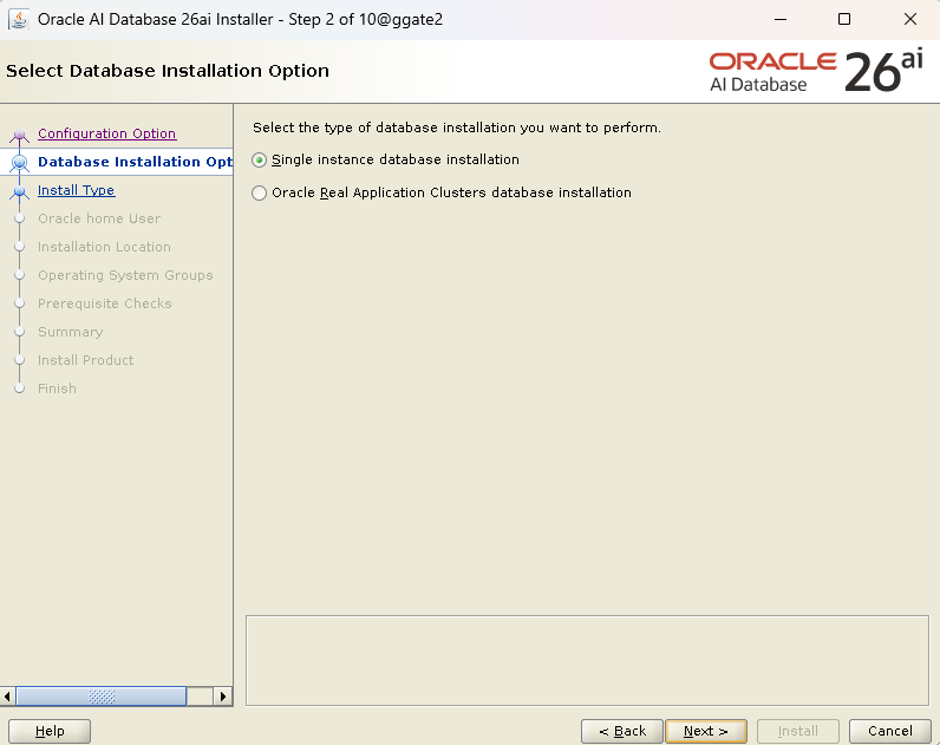
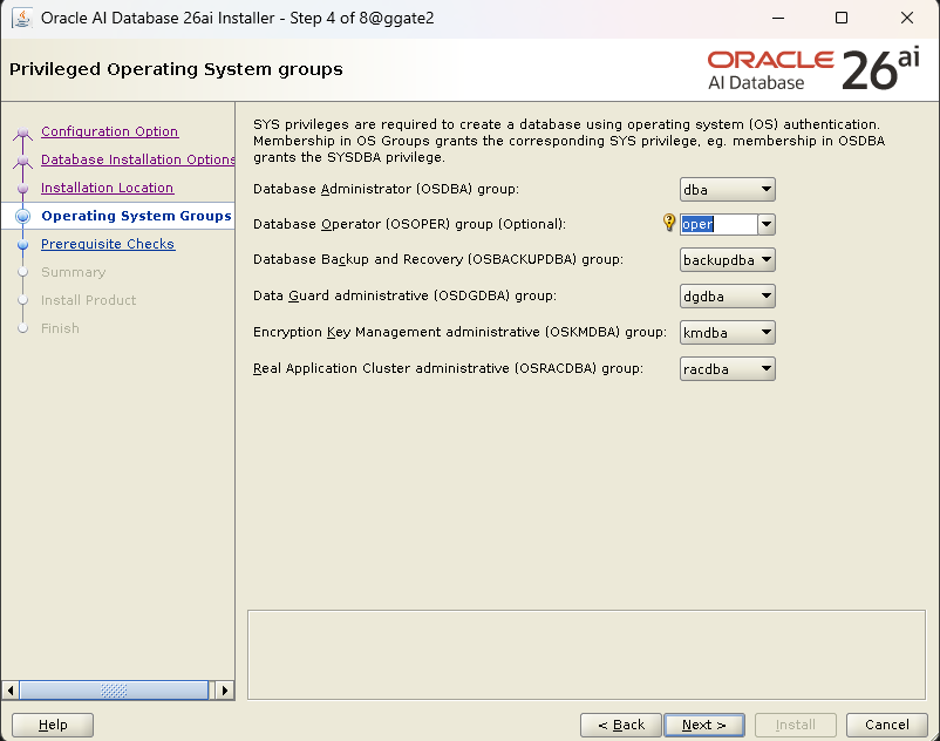
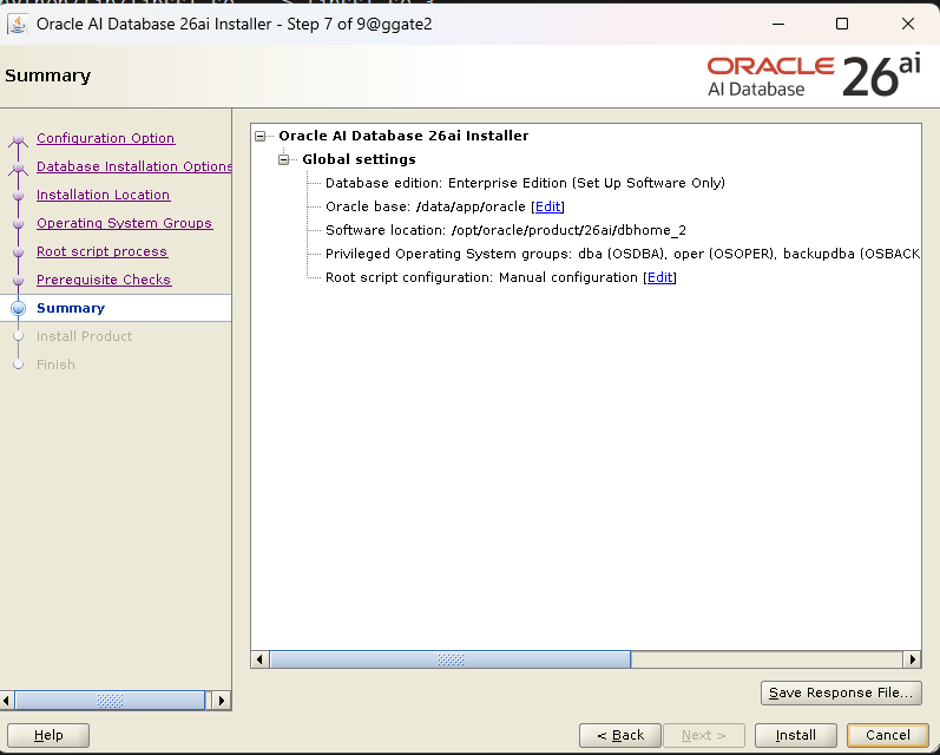
Now start the runInstaller to complete the installation, this is possible with both silent and the GUI. In this blog post we will use GUI mode. The installation is same as the regular installation.
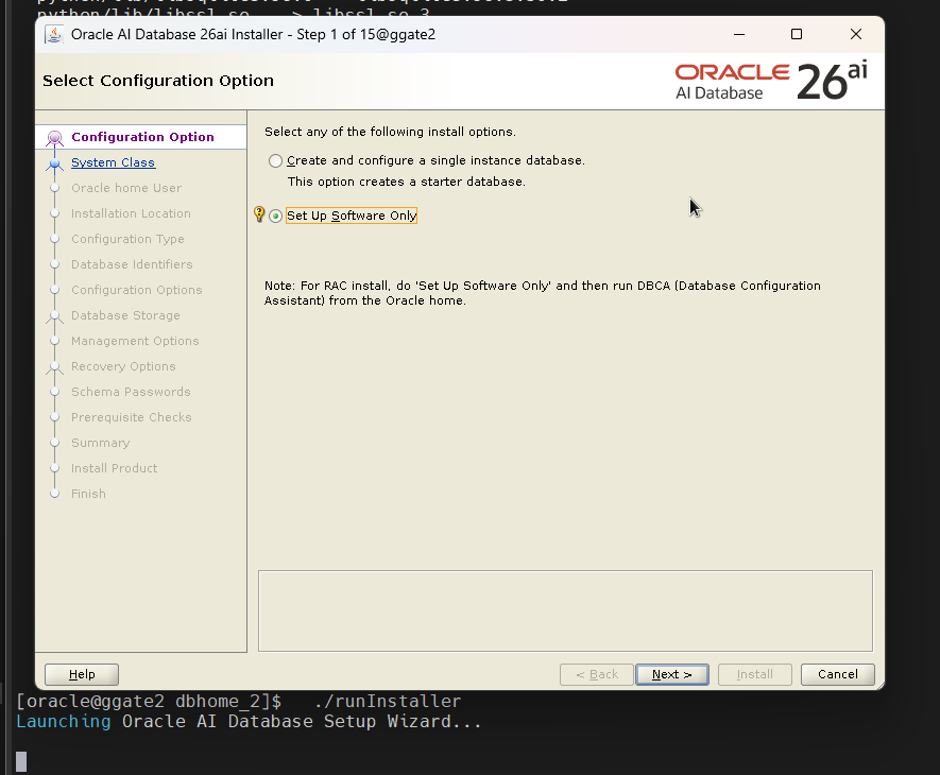
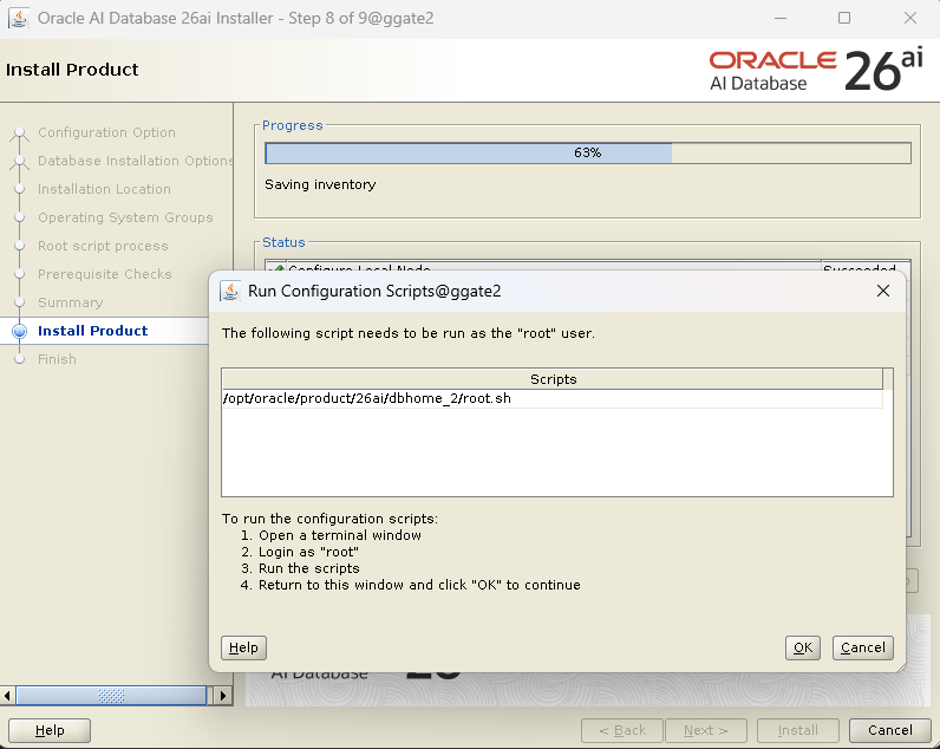
Run the script as root user.
[root@ggate2 ~]# /opt/oracle/product/26ai/dbhome_2/root.sh
Performing root user operation.
The following environment variables are set as:
    ORACLE_OWNER= oracle
    ORACLE_HOME=  /opt/oracle/product/26ai/dbhome_2
Enter the full pathname of the local bin directory: [/usr/local/bin]:
The contents of "dbhome" have not changed. No need to overwrite.
The contents of "oraenv" have not changed. No need to overwrite.
The contents of "coraenv" have not changed. No need to overwrite.
Entries will be added to the /etc/oratab file as needed by
Database Configuration Assistant when a database is created
Finished running generic part of root script.
Now product-specific root actions will be performed.
[root@ggate2 ~]#
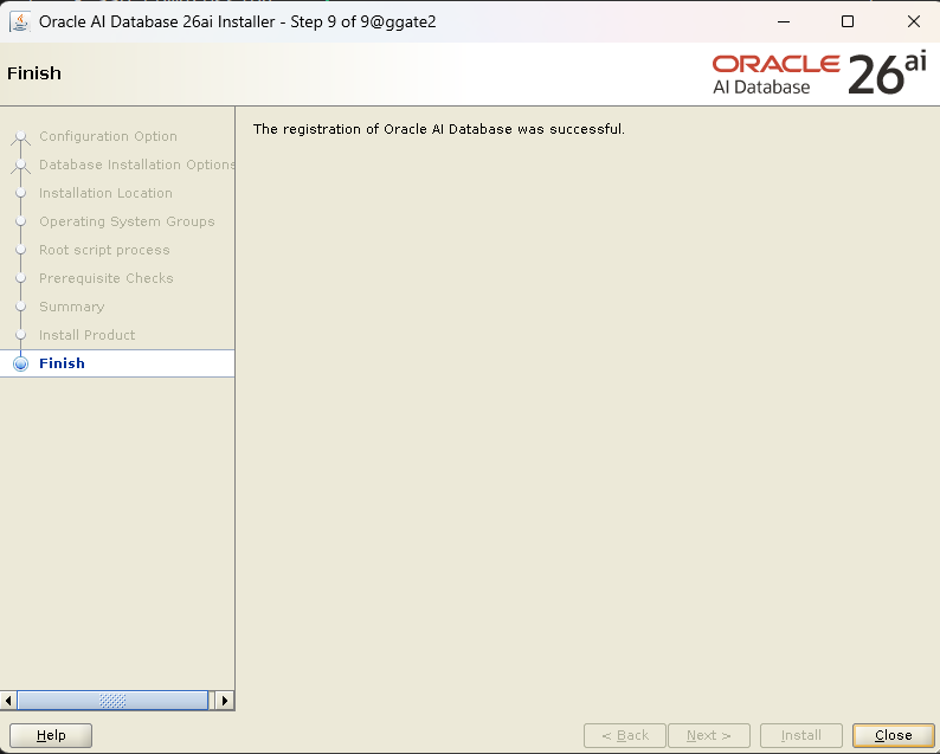
Now export the environment variables and connect to the sqlplus to ensure the software is working properly
[oracle@ggate2 dbhome_2]$ export ORACLE_HOME=/opt/oracle/product/26ai/dbhome_2
[oracle@ggate2 dbhome_2]$ export PATH=$ORACLE_HOME/bin:$PATH
[oracle@ggate2 dbhome_2]$ sqlplus / as sysdba
SQL*Plus: Release 23.26.1.0.0 - Production on Sat Aug 15 15:15:32 2026
Version 23.26.1.0.0
Copyright (c) 1982, 2025, Oracle.  All rights reserved.
Connected to an idle instance.
SQL>
Conclusion
Oracle AI Database 26ai Gold Image provides an efficient and standardized way to replicate a validated Oracle RDBMS home across multiple servers. Instead of performing a fresh software installation and repeating the patching process on every server, DBAs can capture an existing Oracle Home including its Database RU, OCW RU, OPatch level, and installed patches and reuse it as a consistent software baseline.
This approach significantly reduces provisioning time and configuration differences while ensuring consistent Oracle software and patch levels across environments. It is particularly valuable for Data Guard, disaster recovery, RAC, test, development, and large database estates, providing a modern and reusable alternative to the traditional clone.pl approach.

